
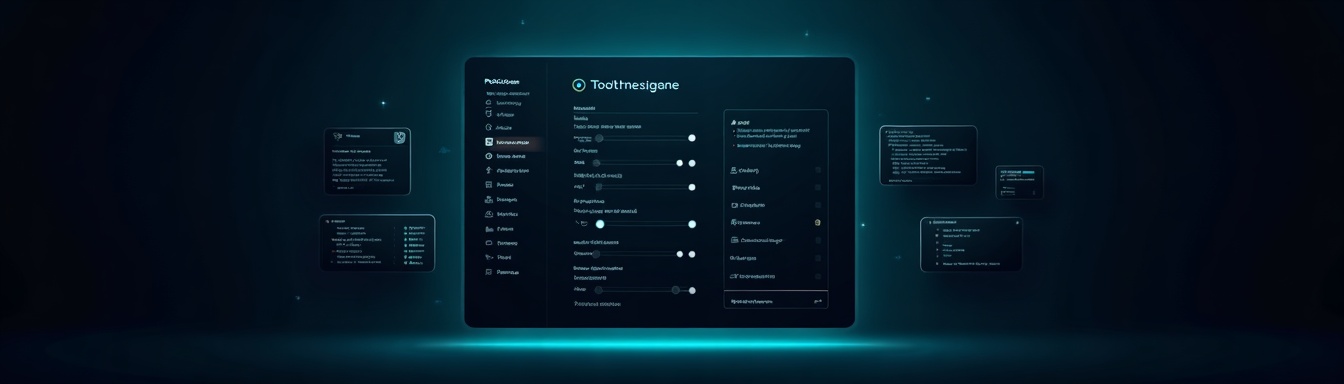
This was a light week in terms of volume, but Cursor shipped something genuinely structural. While Codex and Claude Code pushed incremental updates, Cursor's new Customize page changes how teams think about configuring AI coding environments at scale. If you're managing multiple engineers on Cursor, this one deserves more than a quick skim. TL;DR: Cursor unified plugins, skills, MCPs, subagents, rules, and commands into a single configuration surface. Codex on iOS added personality settings and composer improvements. Claude Code shipped bug fixes. One Anthropic item from this week doesn't belong in a coding tools roundup. Here's what to actually act on.
This Week at a Glance
| Tool | Update Type | Impact |
|---|---|---|
| Cursor | Customize page: plugins, skills, MCPs, subagents | High |
| Codex (iOS) | Personality settings, composer edits, fork links | Medium |
| Claude Code | Bug fixes and reliability improvements | Low |
| Anthropic | Co-founder remarks on papal encyclical | Not relevant |
Cursor: The Biggest Update This Week
Cursor's new Customize page is the most operationally significant release this week, and possibly this month. What shipped isn't a single feature. It's a consolidation: plugins, skills, MCPs (Model Context Protocols), subagents, rules, and commands now live in one unified configuration interface. Why does this matter? Because until now, customizing Cursor for a specific team's workflow was a scattered, underdocumented process. Engineers were managing MCPs in one place, rules in another, and there was no clean way to audit what was actually active in a given environment. The new Customize page changes that. For engineering leaders, this is the moment Cursor starts looking less like a personal productivity tool and more like a team-deployable platform. Consider what this enables:
- •Standardized toolchains: Your platform team can define a canonical set of plugins and MCPs, and every engineer onboards into a pre-configured environment rather than assembling their own.
- •Subagent orchestration: With subagents now surfaced in the same interface, multi-step AI workflows become more manageable. This is early-stage, but the direction is clearly toward agents composing agents.
- •Auditability: Rules and commands being centrally managed means you can actually review what behaviors are baked into your team's AI setup.
The deeper trend here is one worth naming directly: AI coding tools are evolving from "fancy autocomplete" into configurable engineering platforms. Cursor is betting that teams who invest in customization infrastructure will compound faster than teams who treat these tools as black boxes. That bet is right. If you have more than five engineers on Cursor, spend 30 minutes this week mapping out which MCPs and rules your team should standardize. That configuration work will pay dividends faster than you expect.
Codex: iOS Gets Personality, Composer Gets Smarter
ChatGPT for iOS 1.2026.167 shipped three notable changes to Codex:
Per-host personality settings with Friendly and Pragmatic modes
Direct goal editing in the composer
Links from forked conversations back to the original thread
The personality settings are the most interesting conceptually. "Friendly vs. Pragmatic" sounds like a UI preference, but it signals something more meaningful: OpenAI is acknowledging that different contexts require different interaction models. A junior engineer scaffolding their first API integration wants a different experience than a senior engineer debugging a production incident at 2am. Letting users configure that per-host is a reasonable design choice. The composer goal editing is a practical win. Being able to modify the framing of a task mid-conversation without starting over reduces friction in iterative workflows. If you're using Codex on mobile for quick architecture discussions or reviewing PRs away from your desk, this makes the loop tighter. Fork-to-original linking is minor but useful for teams doing collaborative AI reasoning. When a conversation branches, knowing where it came from matters for context reconstruction.
These are mobile-focused improvements. If your team uses Codex on iOS regularly, upgrade and test the personality settings. If you're primarily desktop-based, this week's Codex update doesn't change your workflow.
Claude Code: Reliability Improvements, Nothing to See Here
Claude Code 2.1.190 shipped bug fixes and reliability improvements. That's it. No new features, no architectural changes. This isn't a knock on Anthropic. Stability releases matter, especially for a tool that's increasingly embedded in production workflows. If you've been hitting edge cases or unexplained failures in Claude Code recently, this patch is worth pulling. But there's nothing to configure or rethink this week. Claude Code remains a strong option for long-context reasoning tasks and for teams who prefer Anthropic's models on quality grounds. The product is still maturing relative to Cursor in terms of workflow customization, but the underlying model quality is competitive. Watch this space over the next few months as Anthropic pushes harder on the agentic features front.
One Update That Doesn't Belong Here
The Anthropic item surfaced in this week's research involves co-founder Chris Olah's remarks on Pope Leo XIV's encyclical and the introduction of a Claude Tag feature. Whatever the Claude Tag release is, the research data didn't yield enough context to evaluate it fairly. And Olah's comments on a papal encyclical, while potentially interesting in an AI ethics context, aren't actionable for engineering teams this week. We're not going to pad a roundup with irrelevant items. Moving on.
Cursor vs. Claude Code: Where They Stand
Since both are active in the agent-assisted coding space, here's a clean comparison of how they stack up on the dimensions that matter most for team deployment right now:
| Capability | Cursor | Claude Code |
|---|---|---|
| Unified configuration interface | ✅ | ❌ |
| MCP support | ✅ | ✅ |
| Subagent orchestration | ✅ | ❌ |
| Plugin ecosystem | ✅ | ❌ |
| Long-context reasoning | ✅ | ✅ |
| Team rules management | ✅ | ❌ |
| Mobile workflow support | ❌ | ❌ |
Cursor has pulled ahead on the platform and customization layer. Claude Code still competes on raw model quality for complex reasoning tasks. For most teams, the decision isn't either/or: use Claude Code for the tasks where long-context comprehension matters most, and Cursor as the primary development environment with customized workflows.
What to Do This Week
Concrete actions, ranked by impact:
Audit your Cursor configuration. Open the new Customize page and document what plugins, MCPs, and rules are currently active. If you're running a team, do this together. You'll likely find inconsistencies across engineers that are silently costing you.
Define your team's standard MCP stack. Pick the three to five MCPs that should be active for every engineer on your team and document them. This is now something you can enforce and replicate, so stop leaving it to individual setup decisions.
Upgrade Claude Code if you've been hitting reliability issues. Version 2.1.190 is a maintenance release. Pull it, run your standard workflows, and note whether the edge cases you've encountered are resolved.
Test Codex's Pragmatic mode on iOS if you're a mobile user. It takes five minutes and the interaction model shift may be more meaningful than it sounds. Form your own opinion before deciding whether it matters to your workflow.
Ignore the Anthropic/papal encyclical item for engineering purposes. It's not relevant to your sprint.
The Bigger Picture
This week's updates reinforce a pattern that's been building across 2026: the best AI coding tools are evolving toward platform-level configurability. Cursor's Customize page isn't just a UI improvement. It's an architectural statement that team-level AI configuration is now a first-class engineering concern. The teams winning with AI right now aren't the ones who gave every engineer a license and said good luck. They're the ones treating AI tooling like infrastructure: standardized, auditable, and intentionally designed for their specific workflows. Cursor just made that significantly easier. The engineers who understand how to configure these environments, not just use them, are becoming disproportionately valuable. That's the hire worth making harder to find, and the skill worth developing faster than your competition.
Get matched to AI-native roles
Join Nextdev's network of AI-native engineers and get matched to paid projects and roles.
Read More Blog Posts
Codex Remote Is GA: What Engineering Teams Must Do Now
OpenAI just flipped the switch. Codex Remote has reached general availability, moving out of preview and into production-ready status for engineering teams worl
Kforce vs Nextdev: Which Wins for Startup Founders?
If you're a startup founder trying to hire software engineers in 2026, you're operating in a fundamentally different market than you were three years ago.